

Quick Answer: Start with the accessories that make the cockpit fit your core hardware: the correct wheelbase mount, seat mounting and pedal position. Add shifter, handbrake, monitor and convenience accessories only when your driving style or room layout requires them. Always check the exact Trak Racer cockpit model before assuming an accessory will fit.

A Trak Racer cockpit can be used with only the hardware needed to drive: a suitable seat, wheelbase, steering wheel and pedals. The wider Trak Racer range adds mounting, adjustment, display and convenience parts, but not every accessory is necessary for every rig.
The useful way to choose Trak Racer accessories is to start with the problem the accessory needs to solve. A wheel mount affects how the wheelbase connects to the frame. A pedal slider changes driving position. A shifter mount is relevant only if the cars you drive use a separate gear lever. A monitor solution matters when the display needs a dedicated position around the cockpit.
Which Accessories Matter First on a Trak Racer Cockpit?
A Trak Racer sim racing cockpit is the structural base of the rig, so the first accessories should support the driving controls that attach directly to it. For most setups, this means wheelbase mounting, seat positioning and pedal placement.
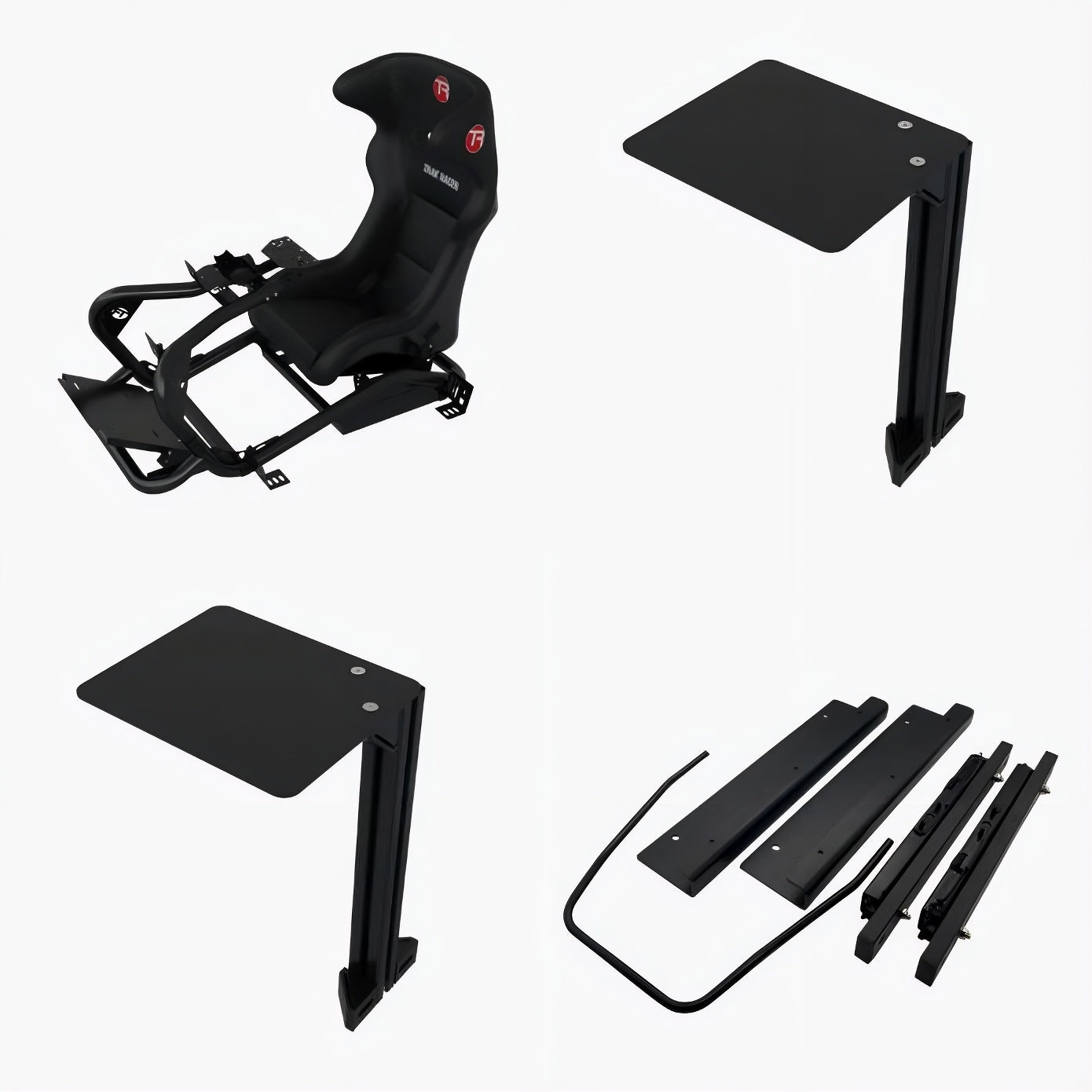
The live Trak Racer collection includes wheel decks, direct-fit mounts, pedal plates, sliders, shifter mounts, monitor components, brackets, shelves, cable-management parts and other frame hardware. These parts serve different jobs, so the correct order depends on the cockpit and hardware already in the rig.
Match the Accessory to the Setup Requirement
|
Setup Requirement |
Accessory Type |
Why It Matters |
Check Before Choosing |
|
Mount the wheelbase |
Wheel deck or direct-fit mount |
Connects the wheelbase securely to the cockpit |
Cockpit model, wheelbase and bolt pattern |
|
Adjust pedal reach |
Pedal plate or slider |
Changes pedal distance for the driver |
Cockpit model and existing pedal plate |
|
Position the seat |
Seat brackets or slider |
Sets body position relative to wheel and pedals |
Seat mounting type and frame fit |
|
Add manual gear control |
Shifter mount |
Places an H-pattern or sequential shifter beside the driver |
Shifter type and mounting side |
|
Add a dedicated display |
Monitor stand or monitor-mount parts |
Controls screen height and viewing distance |
VESA pattern, screen size and stand type |
|
Improve daily usability |
Keyboard, mouse, PC shelf, casters or cable parts |
Makes the rig easier to use or move |
Available space and actual need |
Do You Need a Different Wheel Mount for Direct Drive?
Often, yes. The correct wheelbase mount depends on the cockpit and the wheelbase, not simply on the Trak Racer brand name. Direct-drive systems can use different bolt patterns or mounting methods, so the wheel deck or front mount needs to match both sides of the connection.
For example, the Trak Racer Universal Wheel Deck/Plate for Alpine Racing TRX is specifically intended for the Alpine Racing TRX and lists compatibility with a range of Logitech, Fanatec, Thrustmaster, MOZA and other wheelbases. Some systems require an additional or different mount, which is why compatibility should be checked before ordering.
If you are choosing the main frame as well as the mount, compare the wider Sim Racing Cockpits collection first, then match the mount to the cockpit and wheelbase.
When Is a Pedal Slider Worth Adding?
A pedal slider is useful when the pedal distance needs to change regularly. This is most relevant in a shared rig, or when different drivers need different leg reach without rebuilding the pedal position each time.
The Trak Racer Pedal Slider is listed for several Trak Racer cockpit families. Its purpose is adjustment rather than performance: it allows the existing pedal position to be moved more easily for different drivers.
If one person uses the cockpit and the pedal position rarely changes, a slider may be optional. The important check is whether adjustability solves a real fit problem in the rig.
Does the Seat Need to Be a Trak Racer Sim Racing Seat?
No. A Trak Racer sim racing seat is one option, but the more important factors are seat mounting, body fit and the driving position required by the cockpit. Fixed fibreglass seats and reclining seats serve different purposes, and both are present in the Trak Racer range.
A fixed seat keeps the backrest geometry consistent, while a reclining seat allows easier adjustment for shared or more flexible setups. Before selecting brackets or sliders, check whether the seat uses side mounting, bottom mounting or another system.
If you are still comparing seat types across brands, use the Sim Racing Seats collection rather than assuming the seat must match the cockpit brand.
Do You Need a Shifter or Handbrake Mount?
Only if the cars you drive require those controls. Formula and many GT setups can be driven entirely with steering-wheel paddles. An H-pattern or sequential shifter changes the cockpit layout because the control needs to sit within comfortable reach beside the driver. Rally or drift setups may also need a separate handbrake position.
Choose the mount after deciding which control will be used and on which side of the cockpit it should sit. Model-specific shifter supports are common in the Trak Racer range, so a mount should not be treated as universal without checking the frame.
When Do You Need a Trak Racer Monitor Stand?
A Trak Racer monitor stand becomes useful when the display needs to be positioned independently of a desk or when the rig uses a dedicated single, triple or additional-screen layout. The main benefit is control over screen height, angle and viewing distance relative to the final seating position.
Monitor parts should be chosen after the cockpit and seat position are set. The live Trak Racer range includes add-on side arms for triple-monitor stands and additional top-monitor mounting hardware, so the correct component depends on the existing stand, screen size and VESA mounting pattern.
For example, Trak Racer add-on side arms for a triple monitor stand are intended to expand a compatible monitor-stand configuration rather than replace the main stand.
Which Accessories Are Useful but Not Essential?
Keyboard and mouse mounts, PC shelves, caster kits, speaker mounts, cable clips and foot rests can make a finished cockpit easier to use, but they are normally secondary to the hardware that establishes the driving position.
The Trak Racer Keyboard and Mouse Mount for TR8 Pro and TRX is an example of a convenience accessory: it can make PC control easier from the cockpit, but it does not replace the core wheel, pedal or seat mounting requirements.
A useful rule is to complete the driving position first, then add accessories that reduce a specific inconvenience. This avoids turning a simple rig into a collection of parts that are rarely used.
Which Trak Racer Accessories Should You Add First?
A practical order for most permanent sim racing rigs is:
- cockpit and seat mounting;
- wheelbase mount;
- pedal positioning;
- shifter or handbrake mount, if required;
- monitor position;
- keyboard, mouse, PC, speaker, caster and cable-management accessories.
This order keeps the core geometry of the rig stable before convenience parts are added. It also reduces the risk of buying an accessory that conflicts with a later seat, wheelbase or monitor position.
How Does This Fit Into a Complete TRX V1 Build?
If your cockpit is the Alpine Racing TRX V1, the related guide How to Build a Trak Racer TRX V1 Sim Racing Setup explains the cockpit, seat, wheelbase mounting and pedal setup in the order they should be planned. Use that guide for the complete build, and use this article to decide which extra Trak Racer accessories are actually necessary.
What Should Buyers in Finland and Europe Check?
For sim racers in Finland, Germany, the Netherlands, Belgium and France, compatibility is more important than the number of accessories in the rig. Check the exact cockpit model, mounting pattern, available room and the hardware already installed before choosing additional parts.
Apex300 is based in Finland and the live Trak Racer collection currently includes 45 products across cockpit, seating, wheel and pedal mounting, monitor hardware and other rig accessories. Product availability can change, so the individual product page should be used for current specifications and stock information.


Share:
What Should You Upgrade First in a Sim Racing Setup? 2026 Guide
How Do You Build a Complete Trak Racer Sim Racing Setup Around the TRX V1?