

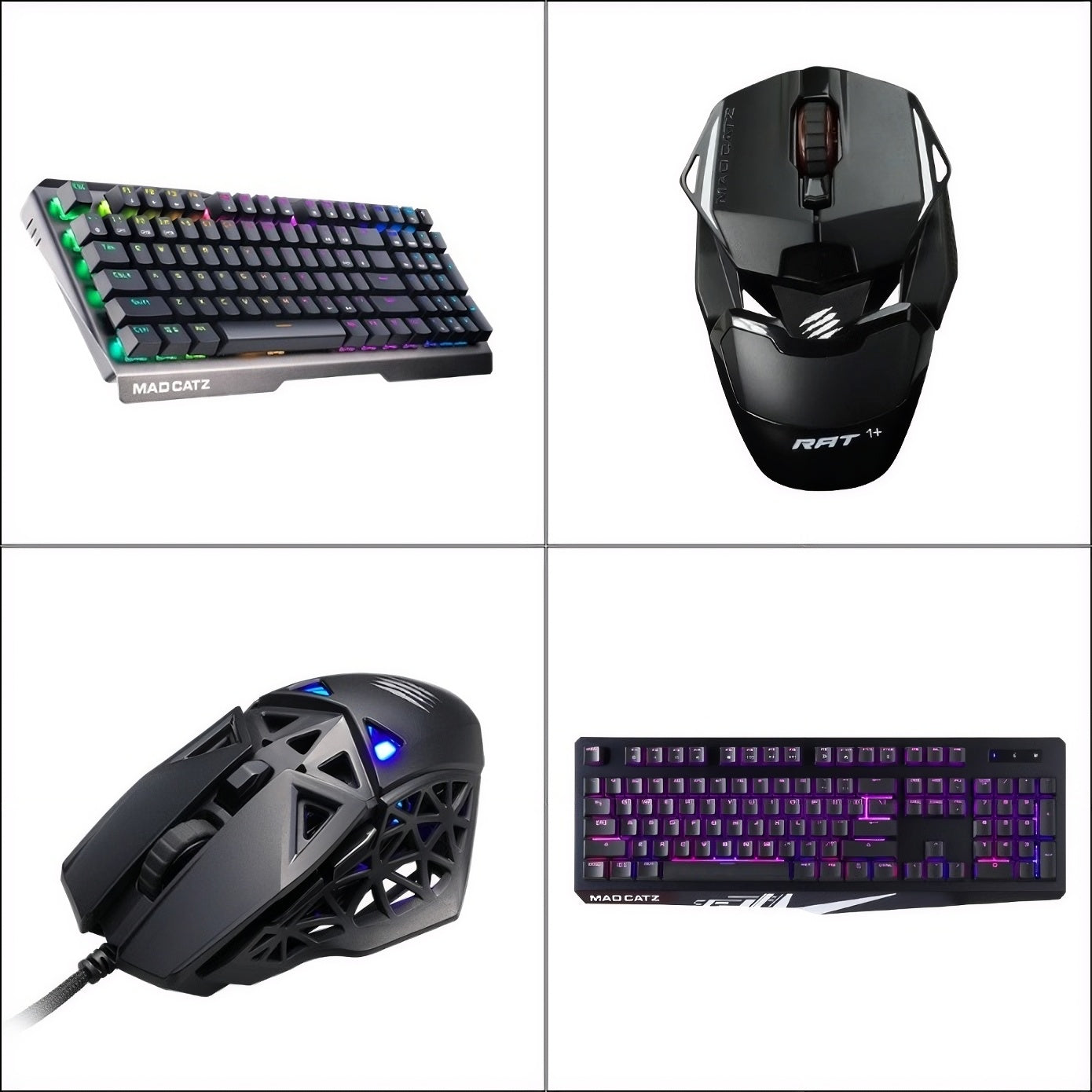
Quick Answer: For keyboard and mouse gaming, choose a mechanical keyboard for faster actuation and a wired or wireless optical mouse with a minimum 1000Hz polling rate. Mechanical keyboards give more consistent keypresses than membrane. Wired mice eliminate latency. Both matter more than brand. Apex300 stocks Mad Catz and Razer options from €26 across Europe.

What Does Keyboard and Mouse Gaming Actually Require?
The keyboard and mouse are the two peripherals that carry every input you make in a PC game. Every click, every keypress, every direction change passes through them. The rest of your PC setup processes those inputs. These two devices create them.
Most buyers focus on price or appearance. The specs that actually determine performance are switch type on the keyboard and sensor type on the mouse. Everything else is secondary.
Why Switch Type Matters on a Gaming Keyboard
A mechanical gaming keyboard uses individual physical switches under each key. Each switch has a defined actuation point, which is the exact moment the keypress registers. Membrane keyboards use a rubber dome sheet that flexes across multiple keys, making actuation less precise and less repeatable.
For gaming, the difference shows up in fast sequences and simultaneous keypresses. A mechanical switch registers each key independently. A membrane keyboard can miss inputs when multiple keys are pressed at once, a problem known as ghosting. Most mechanical sets offer N-key rollover, which means every key registers regardless of how many others are held down.
Linear vs Tactile Switch: Which Is Right for Gaming?
Linear switches travel straight down with no bump or click. They are the preferred choice for gaming because nothing interrupts the keystroke. Tactile switches have a small bump at the actuation point, which helps with typing accuracy but adds a slight resistance that some gamers find slows fast key presses. If you are gaming first and typing second, linear is the correct choice.
Why Sensor Type and Polling Rate Matter on a Gaming Mouse
A wired gaming mouse sends inputs to your PC through a physical cable. The polling rate is how many times per second the mouse reports its position. A gaming mouse at 1000Hz reports position 1000 times per second. A standard office mouse at 125Hz reports it 8 times per second. In fast gameplay, that gap is visible.
A wireless gaming mouse uses a USB receiver or Bluetooth connection. Modern wireless optical mice at 1000Hz match wired performance. The difference between wired and wireless now comes down to cable management preference, not performance. Battery life is the practical consideration for wireless.
What Keyboard Layout Should You Choose for Gaming in Europe?
European buyers should check keyboard layout before purchasing. Nordic layout keys differ from ANSI (US) and ISO (UK) layouts in the position of specific symbols. If you are buying from Apex300 as a Finnish, German, Dutch, or Belgian buyer, verify the keyboard layout in the product listing. Most gaming keyboards at Apex300 are available in standard international layouts.
Which Gaming Keyboard and Mouse Options Does Apex300 Stock?
Apex300 carries gaming keyboards and gaming mice from three brands: Mad Catz and Razer. Each brand covers different price points and use cases. The range runs from entry-level membrane options to premium mechanical sets with adjustable actuation.
Gaming Mice at Apex300
The gaming mouse collection runs from €26 to €149. covers the mid to premium range with wired and wireless options. The Mad Catz R.A.T. series covers the entry and mid-range. Razer options are available for buyers who prefer that brand. All mice use optical sensors.
Gaming Keyboards at Apex300
The gaming keyboards collection runs from €49 to €169 and covers both mechanical and standard options. Mad Catz mechanical sets include the S.T.R.I.K.E. series with adjustable backlighting. Razer covers the premium mechanical range. For buyers looking for a gaming keyboard and mouse combination, the same brands are available across both categories to match aesthetics and connectivity type.
Wired vs Wireless: What Apex300 Stocks
Both wired and wireless options are available across gaming mice and keyboards at Apex300. Wired options cover the Mad Catz and Razer range. Check the gaming keyboard and mouse collection pages for current wireless availability. Check the gaming keyboard and mouse collection pages for current availability and EU VAT pricing.
AT A GLANCE - KEYBOARD AND MOUSE GAMING: WHAT TO BUY AND WHY
Use this table to match the right type to your gaming style and level before buying.
|
What to Choose |
Type |
Best For |
Key Spec to Check |
Level |
|
Wired Gaming Mouse |
Wired optical |
FPS, competitive accuracy, low latency gaming |
Sensor type - optical preferred over laser |
All levels |
|
Wireless Gaming Mouse |
Wireless optical |
Clean desk, sim racing, general PC gaming |
Battery life and polling rate - 1000Hz minimum |
Intermediate |
|
Mechanical Gaming Keyboard |
Mechanical switch |
Competitive gaming, typing-heavy sessions |
Switch type - linear for gaming, tactile for typing |
All levels |
|
Membrane Keyboard |
Membrane |
Budget entry, light gaming, casual use |
Key travel distance and actuation force |
Beginner |
How to Choose a Gaming Keyboard and Mouse for Your Setup
Gaming Keyboard and Mouse for Beginners
If you are building your first gaming setup, the practical choice is a mid-range wired optical mouse and a mechanical gaming keyboard with linear switches. Both give you performance above entry-level without requiring you to understand every spec before buying. The Mad Catz S.T.R.I.K.E. series keyboard and a mid-range optical mouse from the Razer range is a solid starting point. This combination covers gaming keyboard and mouse for beginners without overspending on features you will not use immediately.
Best Gaming Keyboard and Mouse for PC - Intermediate to Advanced
For drivers who use their PC setup for both standard gaming and sim racing, a wireless mouse removes one cable from a desk that already has wheelbase cables running across it. A mid-range optical mouse from the Razer or Mad Catz range paired with a mechanical keyboard suits this level well. A TKL (tenkeyless) keyboard layout removes the numpad, giving more space for the mouse and fitting more naturally into a sim racing desk arrangement.
Budget Tiers: What to Expect at Each Price Point
Entry (under €70 combined): wired optical mouse plus membrane keyboard. Performance is acceptable for casual gaming. No N-key rollover on most membrane keyboards.
Mid (€70 to €150 combined): wired optical mouse plus entry mechanical keyboard. N-key rollover, better actuation, mechanical durability. This is where most PC gaming buyers settle.
Advanced (over €150): wireless optical mouse plus full mechanical keyboard with per-key RGB and adjustable actuation. For best gaming keyboard and mouse for PC performance across all titles.
How to Buy Gaming Keyboards and Mice at Apex300 in Europe
Apex300 ships gaming keyboards and mice from its warehouse in Lohja, Finland. Dispatch takes 1 to 3 business days. EU delivery to Germany, Netherlands, Belgium, France, Finland, Poland and other countries takes 3 to 7 business days. All prices include EU VAT. Returns are accepted within 14 days on unused items in original packaging.
For a broader view of all gaming peripheral categories, the gaming accessories guide and the computer accessories for gamers guide cover mice, keyboards, headsets, monitors, and controllers together.
Buying summary:
-> 1 to 3 day dispatch from Finland
-> 3 to 7 day EU delivery to Germany, Netherlands, Belgium, France and 16 other countries
-> 14-day returns on unused items in original packaging
-> Klarna BNPL available at checkout - split cost across payments
-> EU VAT included in all listed prices - no hidden charges
Browse all keyboard and mouse gaming options and other gaming peripherals in one place at the gaming accessories collection at Apex300 - all categories, EU VAT included.
Frequently Asked Questions
Q1.What should I look for in a gaming keyboard?
Choose a mechanical gaming keyboard with linear switches, N-key rollover, and a keyboard layout that matches your region. Switch type affects speed. N-key rollover prevents missed keypresses in fast gameplay.
Q2.Does a gaming mouse improve gameplay?
Yes. An optical gaming mouse at 1000Hz polling rate reduces cursor lag compared to standard mice. Sensor accuracy and polling rate matter more than DPI setting. A wired gaming mouse removes wireless latency entirely.
Q3.Is a mechanical keyboard better for gaming?
Yes for most games. Mechanical keyboards give precise actuation, N-key rollover, and longer switch lifespan than membrane. Linear switches are faster for gaming. Membrane keyboards are cheaper but less consistent under fast input.
Q4.Should beginners buy a keyboard and mouse combo?
A matched keyboard and mouse gaming set is practical for beginners. It simplifies the buying decision and ensures both peripherals share the same connectivity type. Start with a mid-range wired set and upgrade one piece at a time.
Q5.How much should I spend on gaming peripherals?
For a capable keyboard and mouse gaming setup in Europe, a combined budget of €80 to €150 covers a mid-range mechanical keyboard and an optical gaming mouse. Above €150, gains are incremental unless you are competing at a high level.
Share:
What Computer Accessories for Gamers Actually Matter?
What Is the Best Sim Racing Seat and How Do You Choose the Right One?